
ACARO Reflex 0.81.0: Explore report, English interface and open-trade control
Highlights since version 0.47: a detailed setup report, an English interface, partial reinvest, sweep filters, liquidation modelling and new actions for open trades.
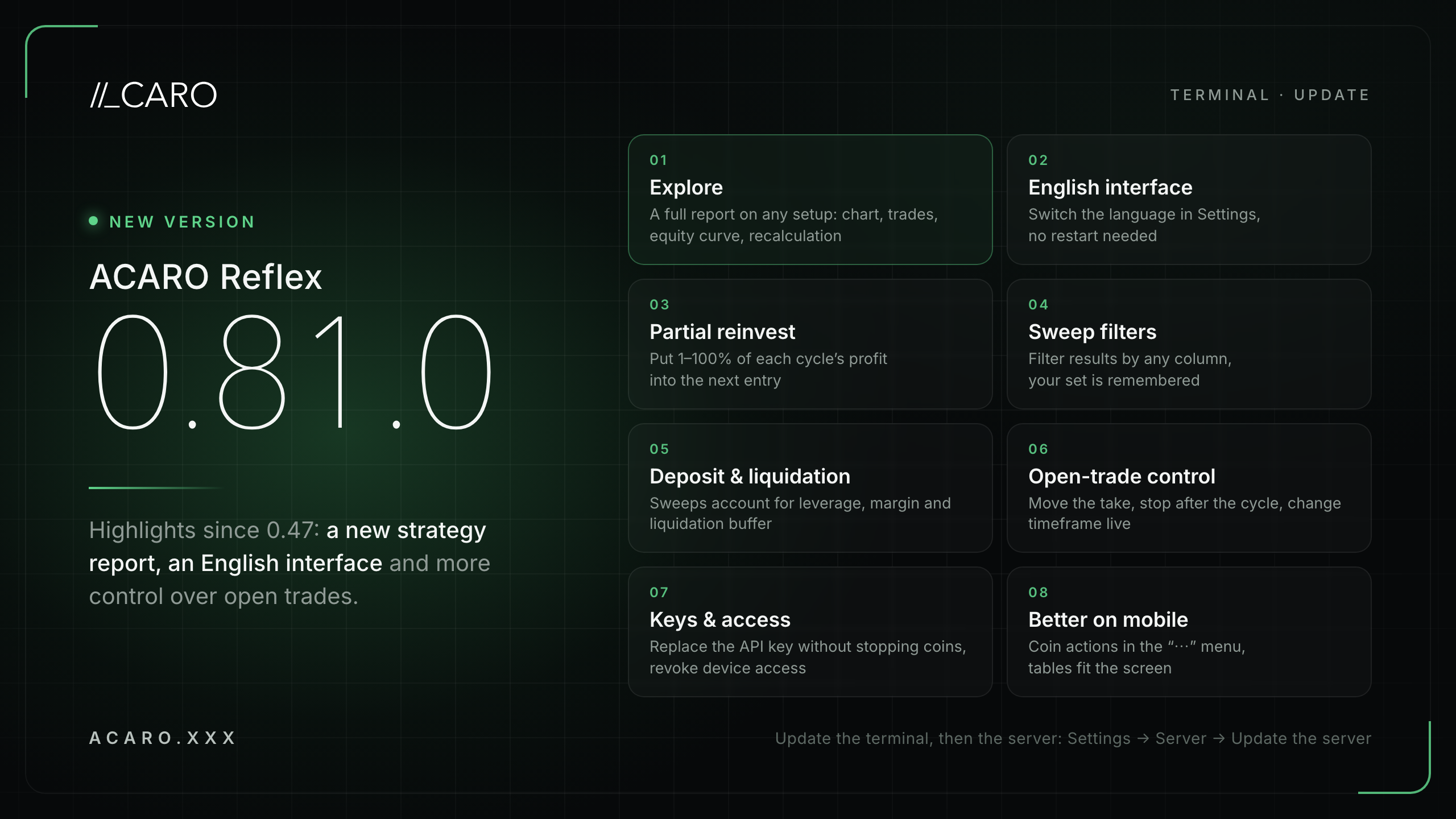
ACARO Reflex 0.81.0 is out. Since version 0.47 the terminal has gained Explore, a detailed report on any setup saved in the Lab, an English interface, partial reinvest, sweep result filters, and deposit and liquidation modelling in backtests. Open trades can now have their take moved, be stopped after the cycle closes, and switch timeframe without stopping the coin.
What is the Explore report?
Explore is a detailed report on a setup from the Lab. It opens full screen and shows the price chart with entries, DCA orders and exits, the equity curve, a summary and the trade list. It works for both strategies, Reflex and Nuvoriche.
- Change dates, budget, leverage and strategy parameters in the left panel, then press Recalculate. The server runs the calculation.
- After a recalculation the equity curve keeps a line for the original setup, so you can see exactly what your edit changed.
- Click a trade in the list to see it on the chart. Candles go down to 1 minute, and earlier history loads as you scroll.
- Trade opens the launch window with the calculated parameters. To the sweep opens a parameter sweep with ranges around this setup.
How do I switch to English?
Go to Settings → App → Language. The interface switches immediately, no restart needed. By default the terminal uses the language of your account on the website. Numbers, dates and times follow the selected language. Telegram and email notifications use your account language.
What changed in parameter sweeps?
- Partial reinvest. The Share field takes a value from 1 to 100%: that part of each closed cycle's profit goes into the next entry's budget, the rest stays on your account. Set it when launching a coin, in a sweep and in Explore.
- Result filters. The Filter button adds a condition on any table column, with optional from and to bounds. Your filter set is kept across sweeps and after restarting the terminal.
- Deposit and liquidation. The Deposit field is the balance on your exchange account. With leverage above 1×, sweeps and Explore model liquidation and check that there is enough margin for every order. Results gain the Liq. buffer and Margin shortfall columns and a No liquidations filter.
- Trades still open at the end of the period. Their result now counts towards drawdown, and the table shows Unclosed, d and Unclosed, % columns.
- Checks before launch. The sweep form, the launch window and Explore validate values up front and name the field that needs fixing.
What can I do with an open trade?
- Move the take. In the Active tab, a Reflex coin in a position has a Take button: move the level closer or further, or reset it to the setup. A moved take holds until the cycle ends.
- Stop after the cycle closes. The Stop dialog has an option that does not close at market: no new entries, the position runs to its own exit, then the coin stops and you get a notification.
- Change timeframe. A running Reflex coin's timeframe can be changed in its settings: immediately when flat, or when the current cycle closes.
- Adopt a position. If the terminal opened a position on this coin, the Adopt button takes it back under management and the coin continues the same cycle.
- Liquidation line. The exchange's liquidation price can be shown on the coin chart. Turn it on in the chart lines menu: Liquidation (exchange).
What is new for keys and server access?
- Replace the exchange API key without stopping coins. Settings → API keys → Replace the API key. Coins and open positions are kept. The key's expiry date is shown in settings, with a reminder 14 days before it expires.
- New access key. Settings → Server → Issue a new access key. The old key stops working on all other devices immediately. The server and coins keep running.
- Disconnect a device. Disconnect this device unlinks a phone or second computer from the server.
- QR sign-in. On a phone you can connect by scanning the QR code.
What is easier to use?
- On phones, coin actions (Settings, Take, Pause, Stop) live in a "⋯" menu and tables fit the screen.
- Escape closes any dialog. In the English interface dates include the month name.
- The connection indicator also reflects the server's link to the exchange. Connection errors and exchange rejections are explained in plain words.
- Settings → Data shows how much history is stored for calculations and lets you clear it.
What notifications were added?
- A trade's result is the same figure everywhere. Funding is shown on a separate line.
- New notifications for liquidation, partial position closes, and a coin that did not start after a server restart.
- Position close notifications keep arriving after your subscription ends, for as long as the server manages open positions.
What should I know before updating?
- Update the terminal on all your devices, then press Update the server in Settings → Server.
- Sweeps calculated in earlier versions are not recalculated. Their table notes which rules they used, and the new columns stay empty.
- Lab setups calculated before 4 September 2026 are marked old model. Recalculate them in Explore before launching.
- Sweeps and Explore show how a setup behaved on historical data and do not guarantee future results.
This article is for information only and is not individual investment advice. Trading crypto carries the risk of losing your funds; results on historical data do not guarantee future results.
Check the strategy against your own data
ACARO is a terminal that executes a strategy on your own exchange account. Parameter search and backtesting on history are part of the subscription.
See pricing